Open My projects and click Edit on a world. In the “What should we change?” box, ask for one or two concrete changes, like an object to add or a new key for an event. The builder rebuilds the world in under a minute and adds new moments to the play panel.
Step 1 — Open the world with Edit
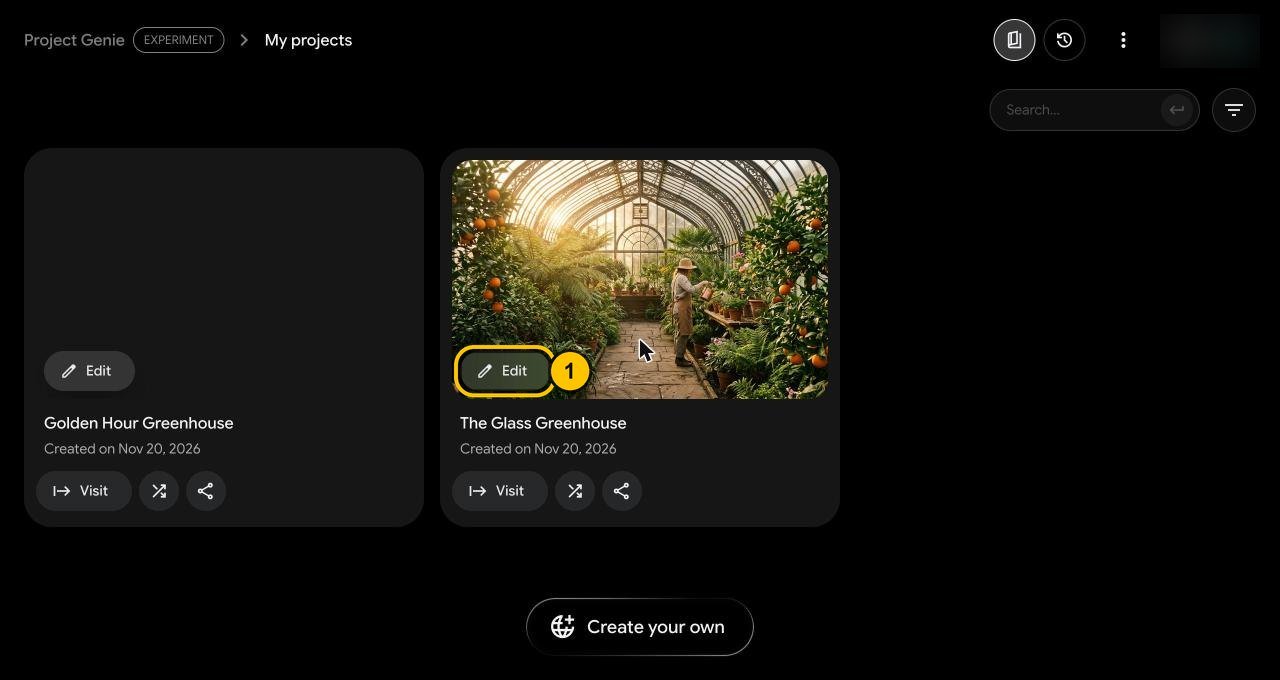
Go to My projects (the book icon, top right) and click Edit (①) on the world you want to change. It opens with the preview on the left and the Experience builder chat on the right.
Step 2 — Ask for a change
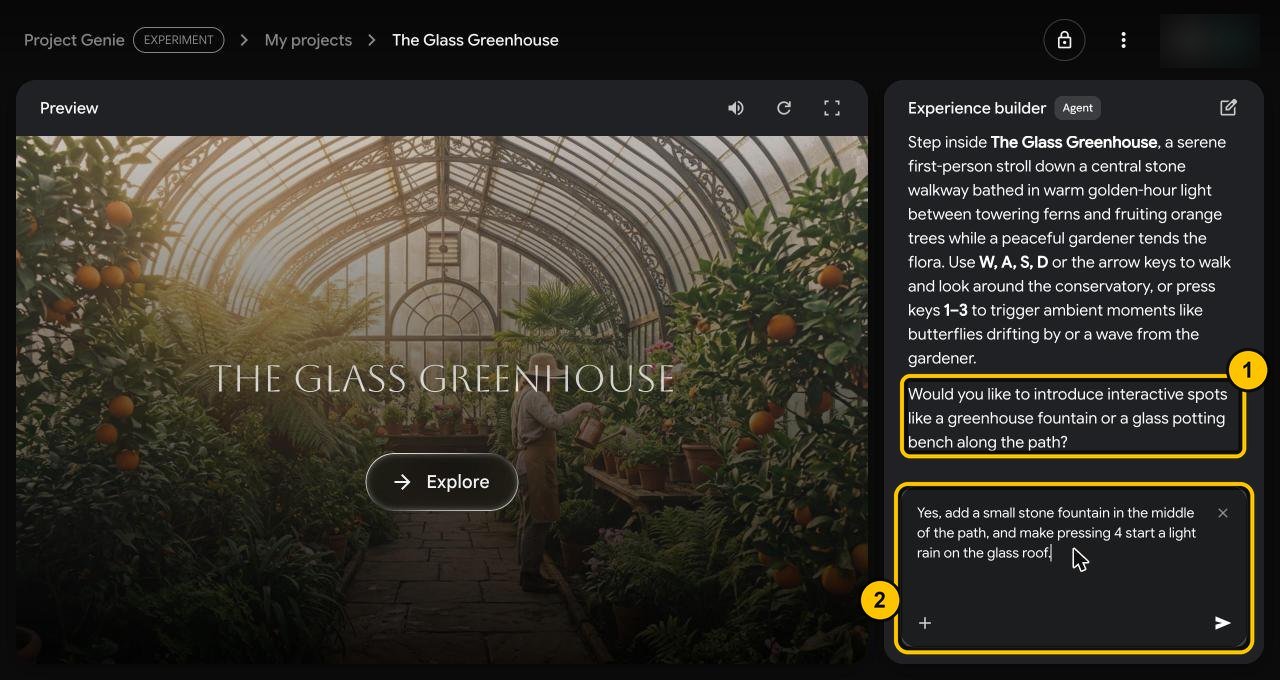
The builder often suggests the next step itself. Ours offered “a greenhouse fountain or a glass potting bench” (①). We said yes and asked for one extra key in the same message (②):
Our edit request
Yes, add a small stone fountain in the middle of the path, and make pressing 4 start a light rain on the glass roof.
Step 3 — Check the result
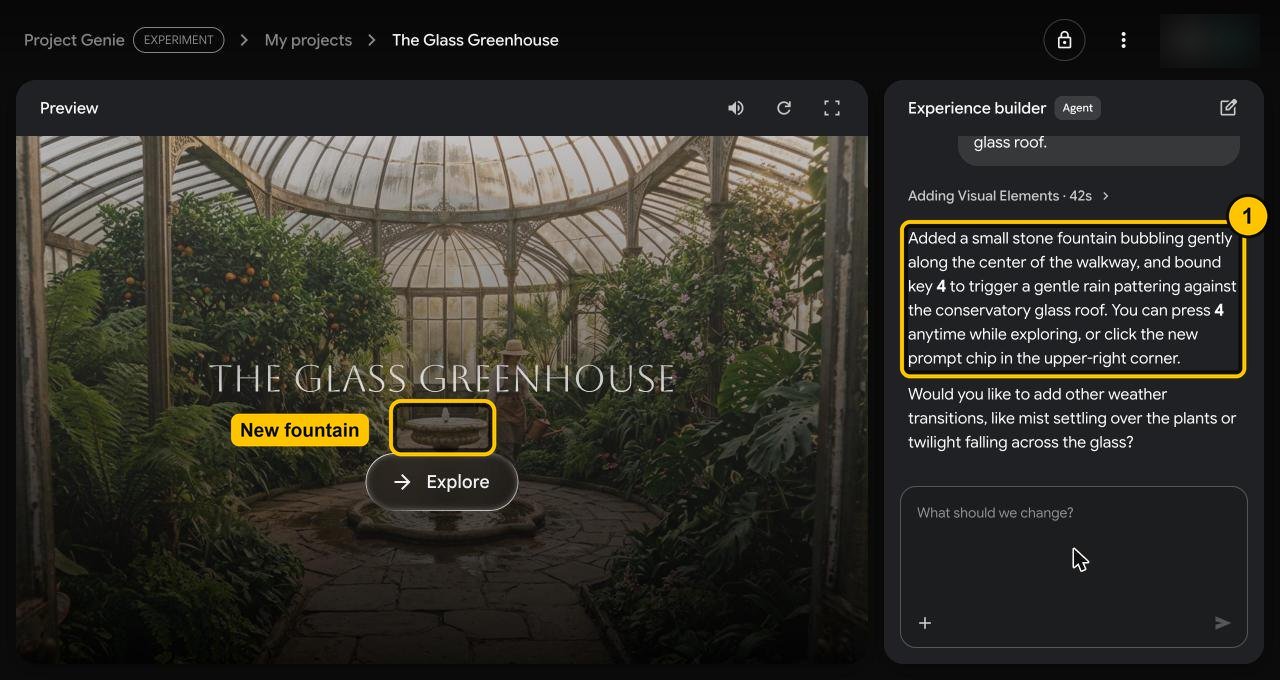
After about 40 seconds (“Adding Visual Elements · 42s”) the builder confirmed both changes (①). The new title card already shows the fountain in the path.
Step 4 — Try the new moment
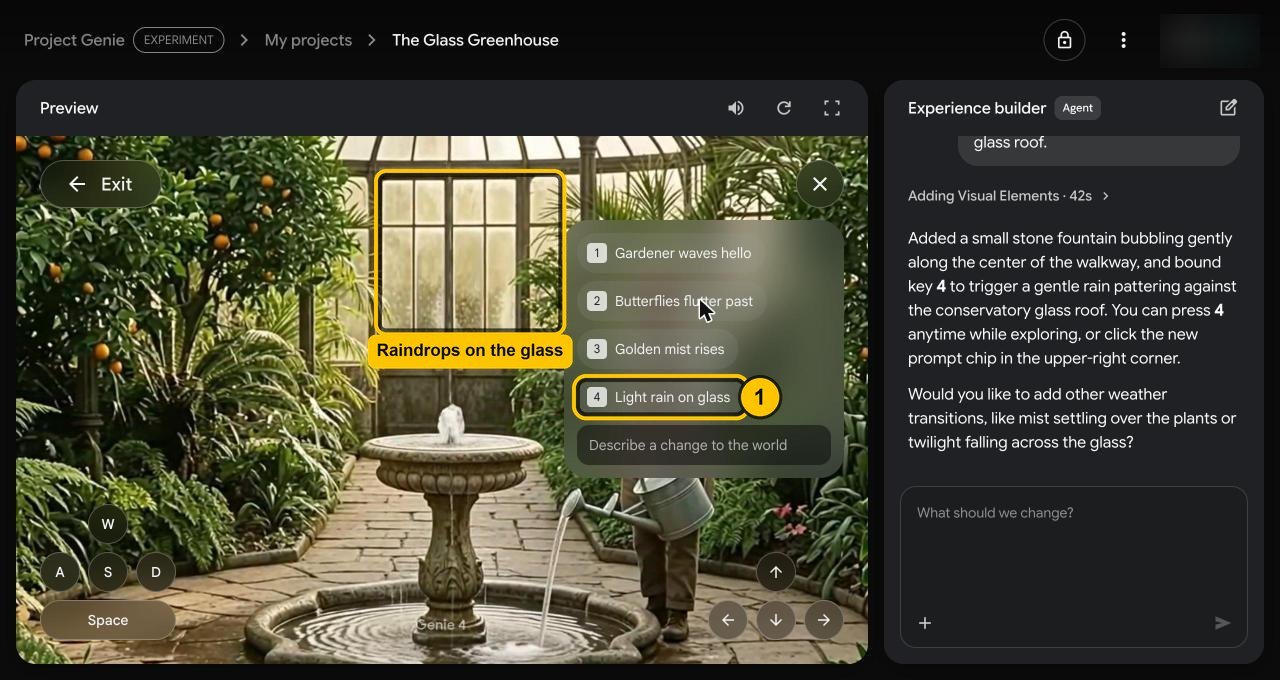
Click Explore. The moments panel now has a fourth chip, 4 · Light rain on glass (①). Pressing 4 put visible raindrops on the windows.
Tip from our tests: earlier we typed “light rain” into the live Describe a change to the world box, and it only made the light greyer. Asking the builder for the same thing as a named key worked much better. Use the builder for changes you want to keep, and the live box for quick experiments.
Requests that work well
| Pattern | Example |
|---|---|
| Add one object in a set place | “Add a wooden bench on the left of the path.” |
| Bind an event to a key | “Make pressing 5 turn the sky to twilight.” |
| Change one character | “Give the gardener a red scarf.” |
| Change the mood | “Make it a misty early morning instead of sunset.” |
Ask for one or two changes per message. If something goes wrong, the old version is easier to get back to.
Sources & method
We tested this ourselves on 20 November 2026 in a Project Genie account that got access through Google AI Pro. Every screenshot comes from that session. The arrows, boxes and numbers are ours, and personal account details are blurred. Project Genie is an early research prototype, so the screens and limits may change.
- Project Genie (Google Labs), tested 20 November 2026
- Google Labs waitlist email: “You’re in! Start exploring Project Genie”
- Google DeepMind: Genie 4 launch announcement
Access, product limits, and eligibility can change. Follow the current message in Google’s product and its published terms.