Genie names the world-model family. Project Genie is a product experience. Gemini is a different model family that can also help power Genie’s simulations.
Four names that answer different questions
| Name | What it refers to | What to check |
|---|---|---|
| Genie 3 | An earlier interactive world model | Its own model and product documentation |
| Genie 4 | A newer generation of world simulation | Preview access and the current rollout |
| Project Genie | The Google Labs product experience | The model and features offered in your account |
| Gemini 4 Argon | A separately documented reasoning model | Its exact API contract and output types |
Use the full name when asking for support. “I can open Project Genie” and “I have Genie 4 access” are different statements.
What Google published for Genie 3
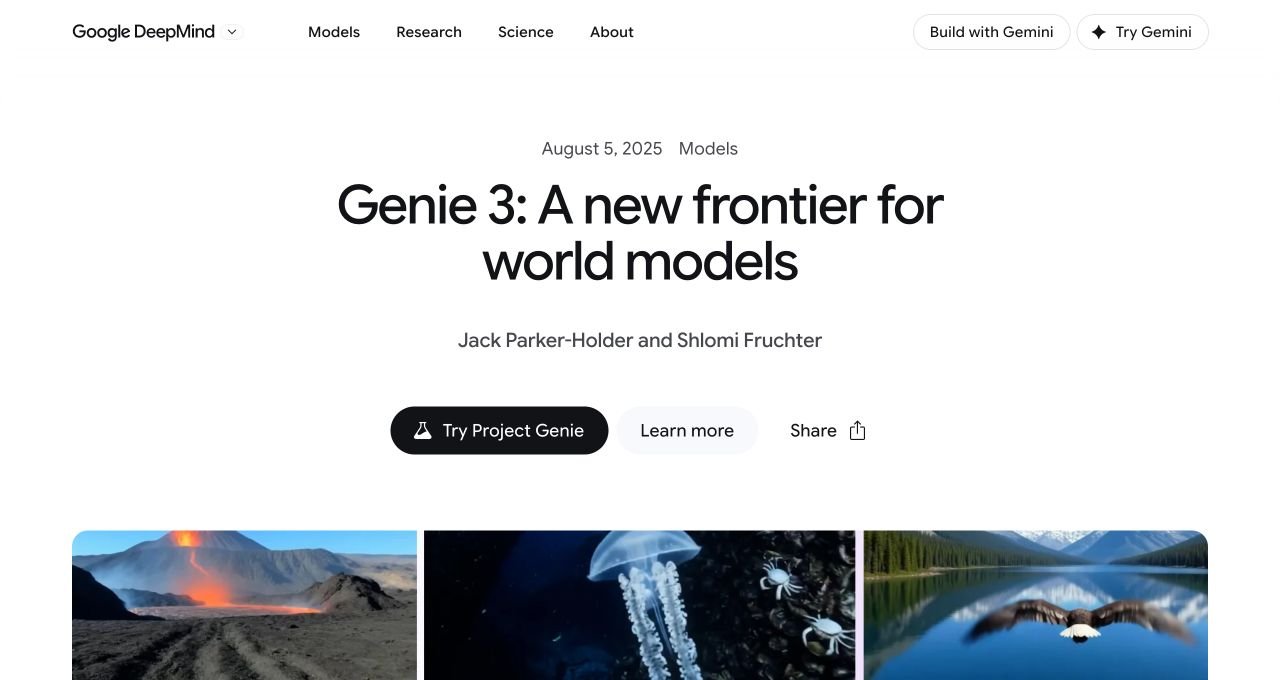
Genie 3’s August 2025 launch post described 720p worlds at 24 frames per second, with consistency over a few minutes. Those are Genie 3 launch claims. They should not be copied into a Genie 4 specification table or confused with a particular product’s session timer.
The screenshot below identifies the earlier announcement. It is useful when a search result cites an older article without making the model generation clear.
What the newer model emphasizes
Google’s Genie 4 model page emphasizes live scene changes, native sound, and more realistic motion. It also describes contributions from Gemini models to appearance, reasoning, and continuity.
That relationship does not make the products interchangeable. A reasoning model can help plan a sequence without exposing the same world-generation interface to its own API callers.
For comparisons, separate three columns in your notes: what is announced, what the product currently exposes, and what you have personally tested. Leave a blank where there is no evidence.
Which route fits your task?
- You want to see interactive world generation: watch the official Genie demos and inspect the current Project Genie eligibility.
- You need Genie 4 specifically: follow the official waitlist and rollout, rather than assuming a subscription supplies it.
- You need text reasoning in an app: evaluate the relevant Gemini model’s documented API.
- You need an editable game: verify required engine assets, logic, and export formats separately.
These are editorial decision rules. They do not rank one model as universally better. The right comparison is the one that matches the output you need.
How to make a fair side-by-side test
Keep the scene, subject, camera goal, and requested intervention the same. Record the model version and access route, then note failures as well as successes. If one product lacks a feature, label it unavailable rather than scoring an invented result.
For an initial comparison, ask whether the scene stays recognizable after a short move. For a second test, evaluate one event and its sound. Comparing unrelated highlight clips cannot tell you which workflow will serve your project.
Sources & method
Checked against the official sources below on 30 October 2026. Screenshots document public pages or official demos. We have not claimed firsthand Genie 4 access; suggested exercises, examples, and decision checklists are our editorial guidance.
- Google DeepMind: Genie 4 model page ↗
- Google DeepMind: Genie 3 launch announcement ↗
- Google Labs Help: get started with Project Genie ↗
- Google AI for Developers: Gemini 4 Argon ↗
Access, product limits, and eligibility can change. Follow the current message in Google’s product and its published terms.