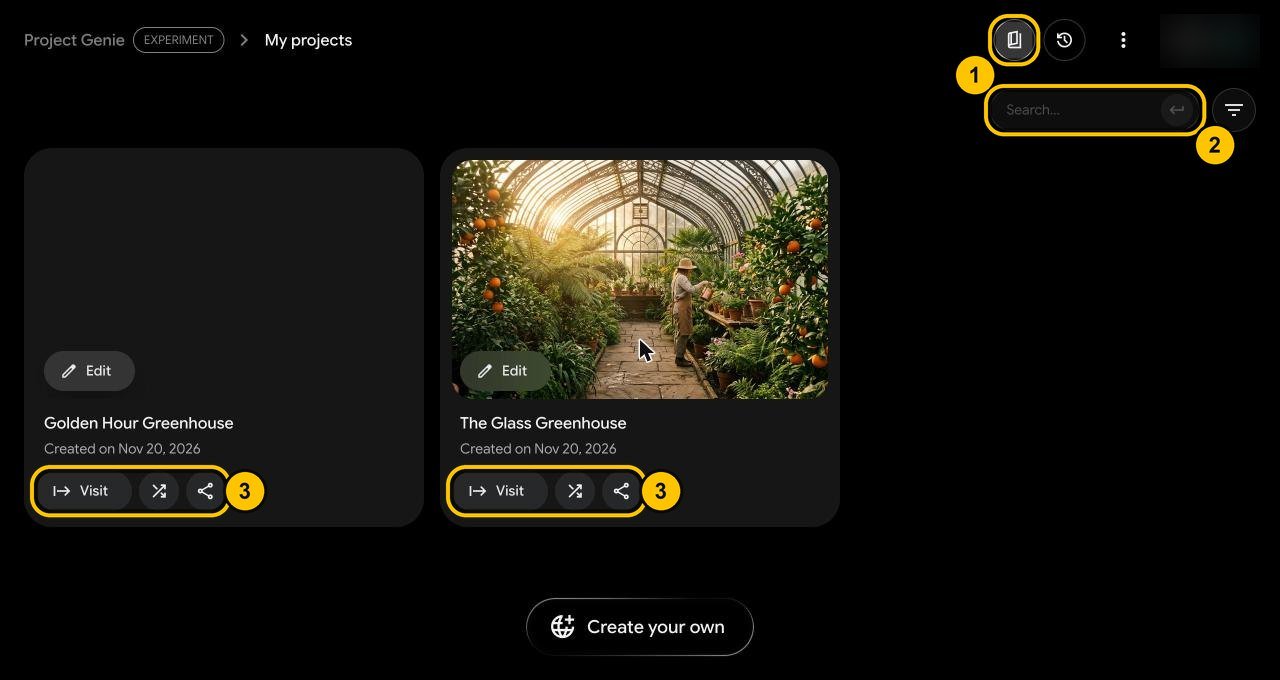
Everything you build is saved automatically in My projects (the book icon). Everything you play is listed in Visit history (the clock icon). New worlds are Private. Share one as Unlisted (anyone with the link) or Public (listed in the gallery), and remember that both let other people remix it.
My projects: your builds
Click the book icon (①) at the top right. Every world you’ve created or remixed is here, with the date you created it. Use Search (②) once the list grows. Each card (③) has Visit to play, a shuffle icon to remix a copy, and a share icon. The Edit button on the picture reopens the Experience builder.
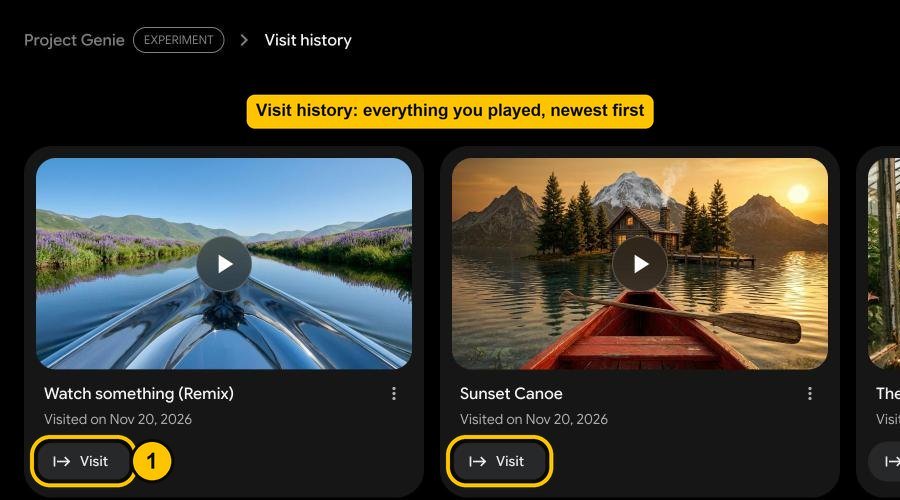
Visit history: everything you played
The clock icon next to My projects opens Visit history. It lists everything you’ve played, newest first, including gallery experiences and remixes, with a Visit button (①) to play it again.
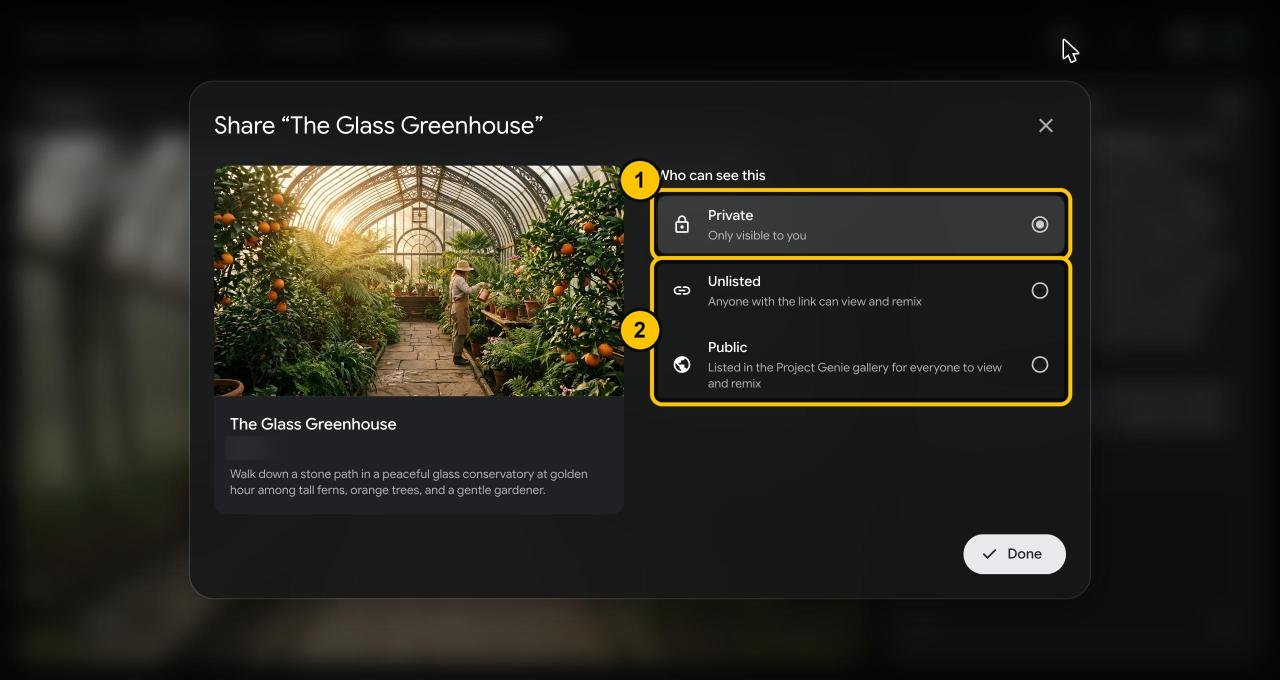
Sharing settings
Click the share icon on a card, or the lock icon above the builder. You have three options:
| Setting | Who can see it | Use it when |
|---|---|---|
| Private (default) | Only you | You’re still building, or it contains your personal photos. |
| Unlisted | Anyone with the link, who can view and remix it | Showing friends or a client. |
| Public | Everyone, listed in the gallery, who can view and remix it | It’s finished and you’re happy for anyone to build on it. |
Before you make a world public
- Does it include your face, home or family photos? Keep it Private.
- Is the title clear? Other people search the gallery by it.
- Have you played it from start to finish once after your last edit?
New here? Start with how to use Genie 4.
Sources & method
We tested this ourselves on 20 November 2026 in a Project Genie account that got access through Google AI Pro. Every screenshot comes from that session. The arrows, boxes and numbers are ours, and personal account details are blurred. Project Genie is an early research prototype, so the screens and limits may change.
- Project Genie (Google Labs), tested 20 November 2026
- Google Labs waitlist email: “You’re in! Start exploring Project Genie”
- Google DeepMind: Genie 4 launch announcement
Access, product limits, and eligibility can change. Follow the current message in Google’s product and its published terms.