Remixing copies a ready-made starter project into your account straight away. “Explore World” is a world you walk around, “Watch something” is a hands-free guided ride in five parts, and “Interactive Story” is a short scene where your answers decide what happens. Click “Customize world” to see the full prompt behind each one and edit it.
Where the templates are
On the Create screen, under Or remix a project, there are three cards: Explore World (①), Watch something (②) and Interactive Story (③). Clicking one copies it into My projects as “(Remix)”. You don’t need to write a prompt.
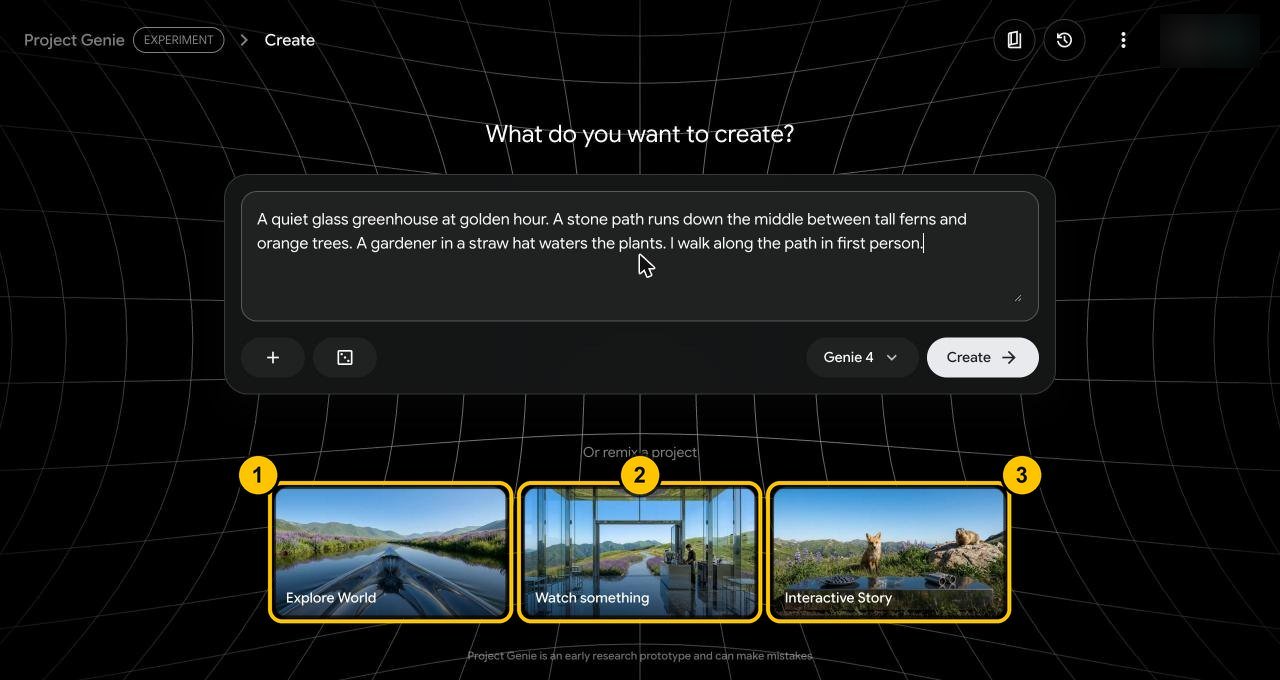
Explore World — walk around
Ours was a glass-walled café on a hill above lavender fields, with a barista character. The title card is labelled Starter project (①). Show me around (②) gives you a short tour, and Customize world (③) opens the prompt editor.
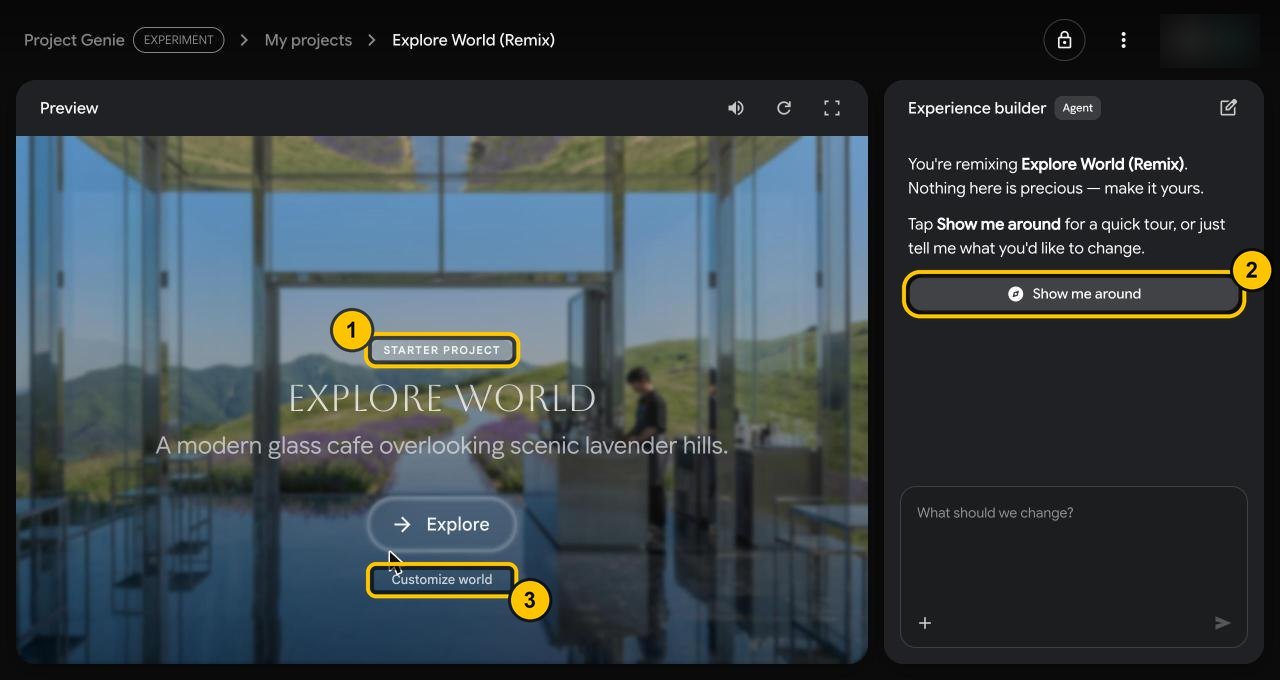
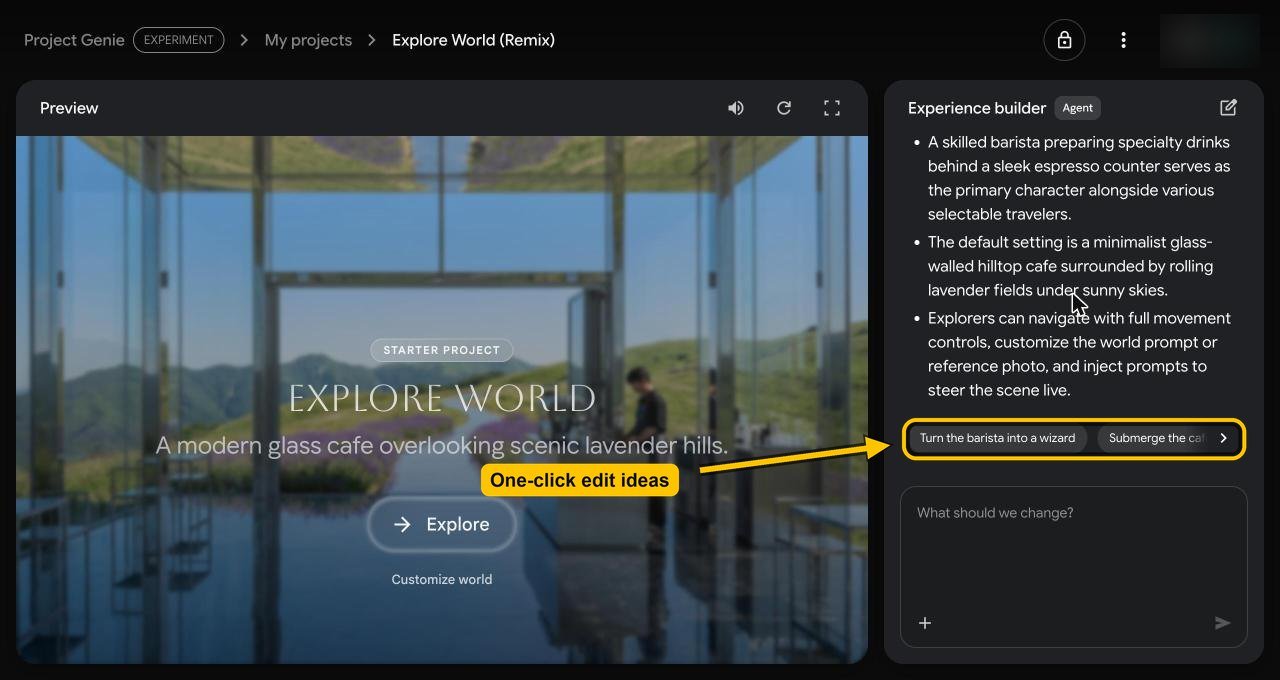
“Show me around” gives you edit ideas
The tour explains the main character, the setting and the controls. It ends with one-click suggestions such as “Turn the barista into a wizard”.
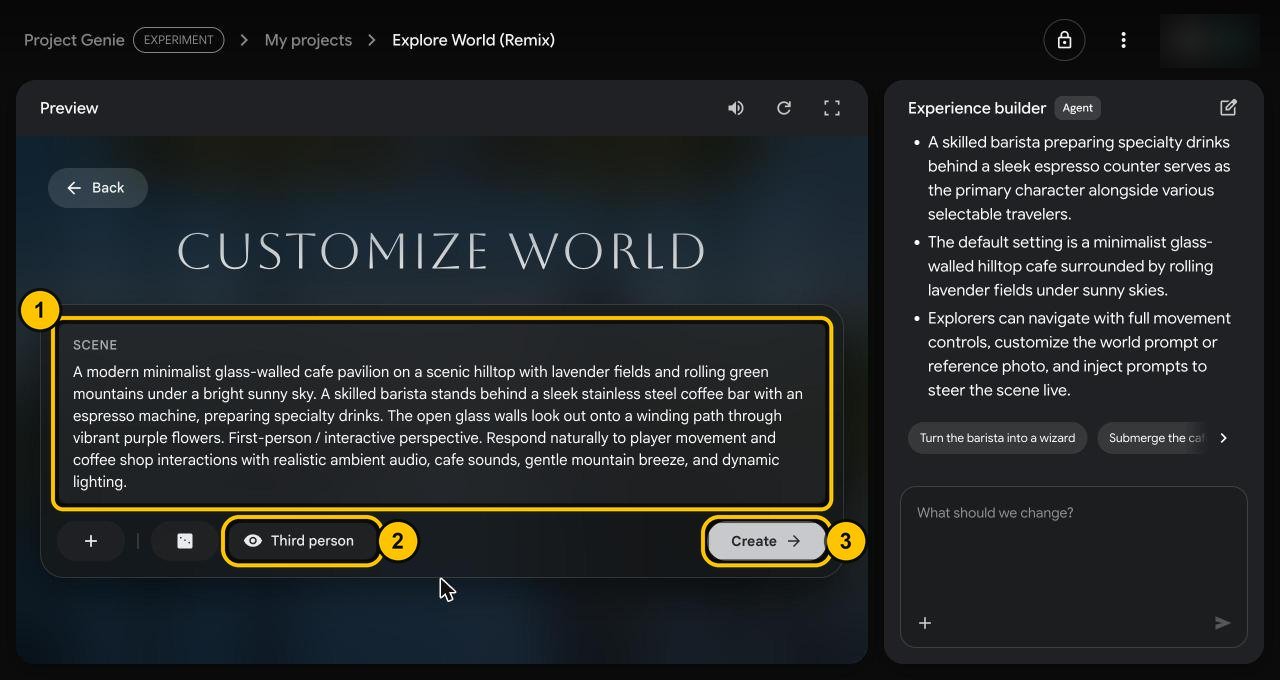
“Customize world” shows the full prompt
This is the most useful screen for learning. It shows the template’s complete Scene prompt (①). Notice the structure Google uses: the place, the main character, what you see, the viewpoint (“First-person / interactive perspective”) and the sound (“realistic ambient audio, café sounds”). You can also switch the camera to Third person (②) and rebuild with Create (③).
Watch something — a hands-free ride
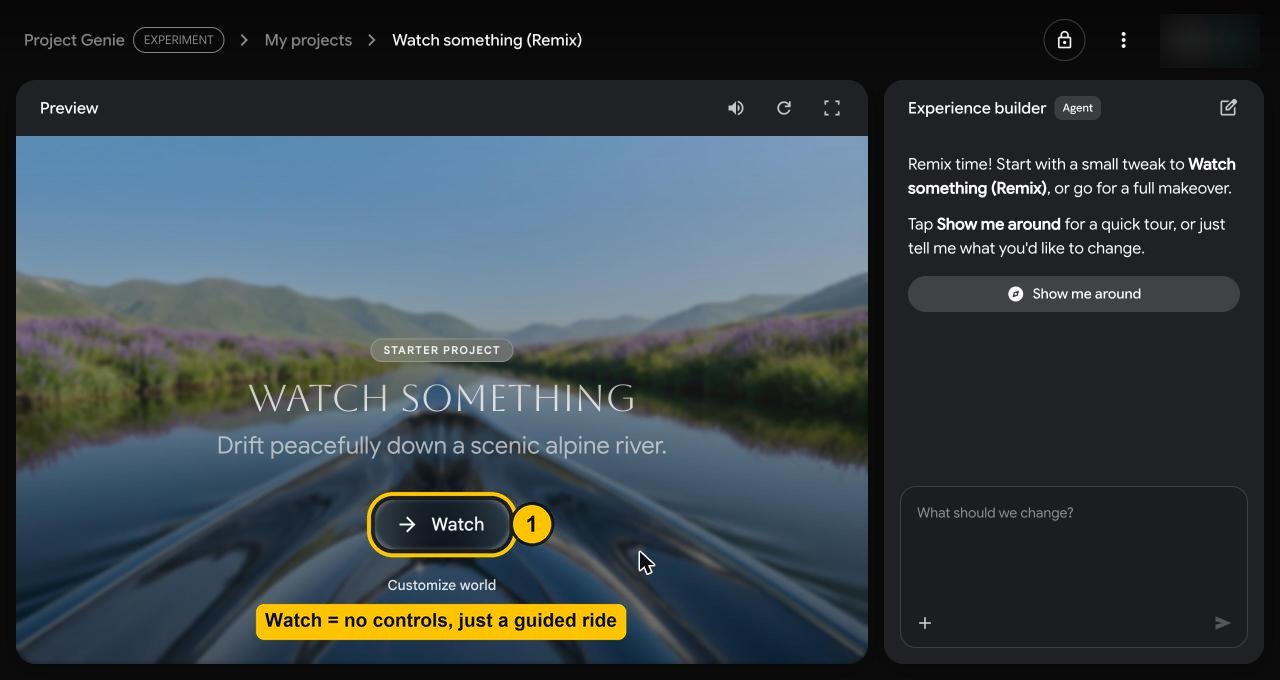
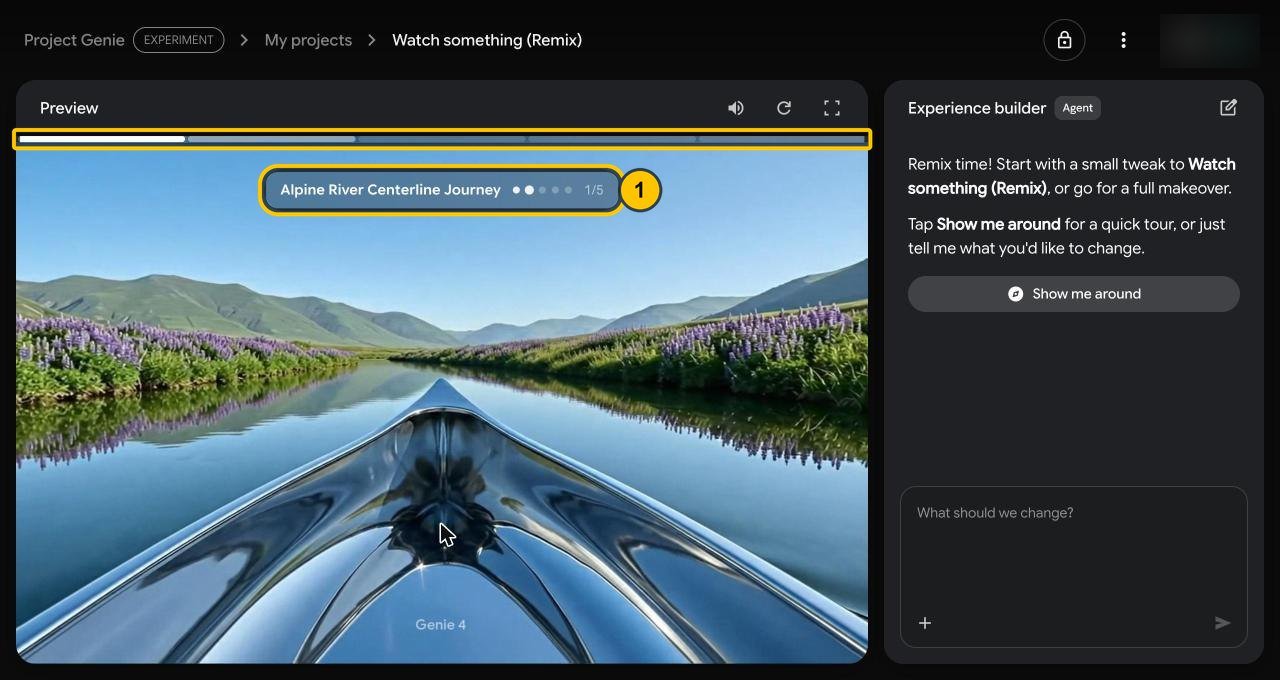
This template has a Watch button (①) instead of Explore. Ours drifted down an alpine river lined with lupins. The ride has five parts, with a progress bar along the top and a counter (“1/5”). You don’t need any keys.
Interactive Story — your choices decide what happens
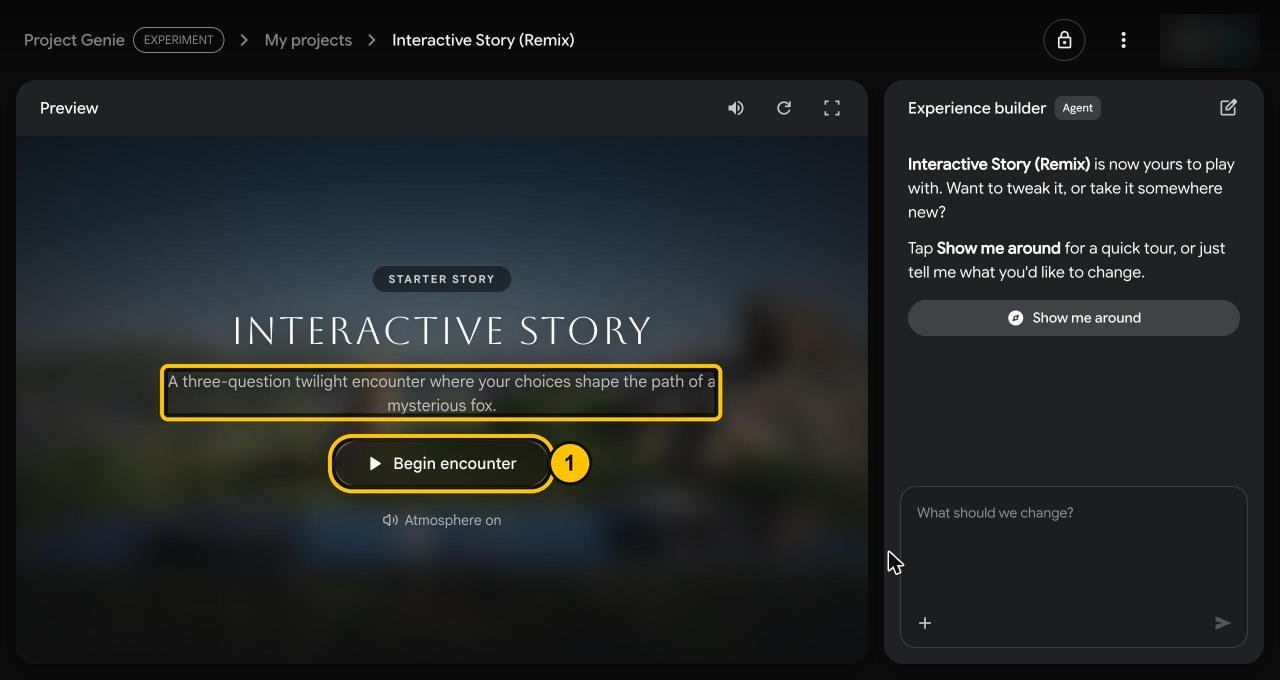
The story template is called a Starter story. Ours was “a three-question twilight encounter where your choices shape the path of a mysterious fox”, started with Begin encounter (①). When we tried it, Project Genie had hit its busy limit, so we couldn’t finish it. See what to do when it’s busy.
Which template should you start from?
| You want… | Start from |
|---|---|
| A place to walk around and change | Explore World |
| A relaxing clip or a demo to show people | Watch something |
| A game-like scene with choices | Interactive Story |
| To learn how to write prompts | Any of them, then click Customize world |
Sources & method
We tested this ourselves on 20 November 2026 in a Project Genie account that got access through Google AI Pro. Every screenshot comes from that session. The arrows, boxes and numbers are ours, and personal account details are blurred. Project Genie is an early research prototype, so the screens and limits may change.
- Project Genie (Google Labs), tested 20 November 2026
- Google Labs waitlist email: “You’re in! Start exploring Project Genie”
- Google DeepMind: Genie 4 launch announcement
Access, product limits, and eligibility can change. Follow the current message in Google’s product and its published terms.